- Introduzione
- Router Mikrotik
- Firmware OpenWrt
- Firmware DD-WRT
- Firmware CoovaAP
- PC Windows
- PC Linux
- Open-Mesh
- Ubiquiti
- Configurazione Hotspot con una connessione 3G/4G/LTE
- Utility di configurazione
- Realizzazione della rete Hotspot Wi-Fi
- Realizzazione della rete Info Potal Wi-Fi
- Tutorial Hotspot
- Video
Test per verificare il corretto funzionamento dell'Hotspot
Per verificare il corretto funzionamento dell'hotspot, utilizziamo uno Smartphone o un notebook e colleghiamoci alla rete Wi-Fi con il nome della nostra location.
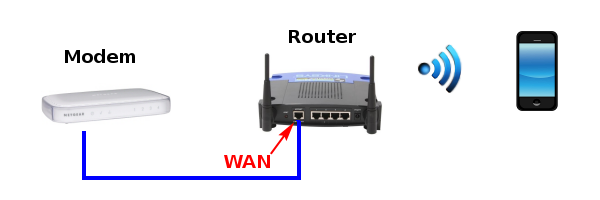
La procedura di accesso all'hotspot è diversa a seconda del tipo di dispositivo utilizzato:
- PC/Notebook: aprendo il browser ad qualsiasi pagina web (non https) si viene reindirizzati alla pagina di login.
- IPhone/IPad: seleziondo la rete Wi-FI viene aperta automaticamente la pagina di login.
- Android: viene mostrata una notifica che avvisa che ci si è connessi ad un Hotspot. Cliccando sulla notifica si viene reindirizzati la pagina di login.
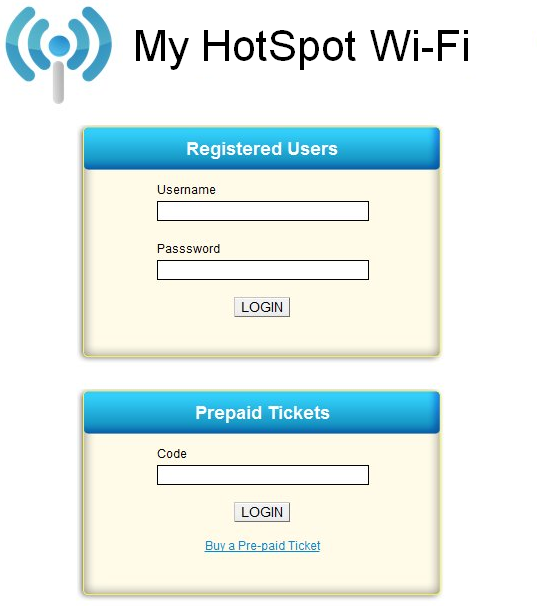
Per completare il test, creiamo un utente registrato (o un biglietto prepagato) nell'apposita pagina della schermata principale dell'applicativo, ed inseriamo il nome utente e la password dell'utente appena creato.