
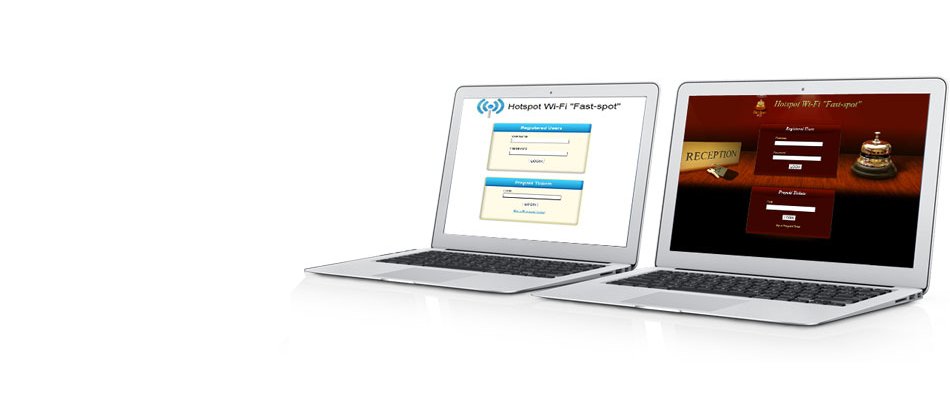


Hotspot WI-Fi management Software
Install your Wi-Fi Hotspot in 5 minutes!

Softvision My Wi-Fi Service is a Web application that lets you easily and economically control a Wi-Fi hotspot.
To use the software, simply register to the service and connect a wireless router compatible (i.e. Linksys 54GL) to your modem/router.
A PC server is not required because the wireless router connects to our server via internet to receive all the information needed for WI-FI hotspot operations.
To use the software, simply register to the service and connect a wireless router compatible (i.e. Linksys 54GL) to your modem/router.
A PC server is not required because the wireless router connects to our server via internet to receive all the information needed for WI-FI hotspot operations.
15-DAYS FREE TRIAL!
Register now
Main features
 Captive Portal Customization The pages displayed to the customer during the login, registration, top-up phases, etc., can be fully customized using one
of the numerous available skins and editing page text and logos as you please. [...]
Captive Portal Customization The pages displayed to the customer during the login, registration, top-up phases, etc., can be fully customized using one
of the numerous available skins and editing page text and logos as you please. [...]
 Facebook Login
It allows your users to access your hotspot via Facebook and at the same time allows you to advertise your business free of charge
thanks to the messages that are posted on the Facebook wall of your users.
[...]
Facebook Login
It allows your users to access your hotspot via Facebook and at the same time allows you to advertise your business free of charge
thanks to the messages that are posted on the Facebook wall of your users.
[...]
 WiFi4EU ready
WiFi4EU is an European Commission initiative that promotes free access to Wi-Fi for citizens in public spaces in municipalities throughout Europe. My WiFi Service is fully compliant with the specifications required by WiFi4EU.
[...]
WiFi4EU ready
WiFi4EU is an European Commission initiative that promotes free access to Wi-Fi for citizens in public spaces in municipalities throughout Europe. My WiFi Service is fully compliant with the specifications required by WiFi4EU.
[...]
 WISP capabilities
Our system is a perfect solution to manage a WISP/IPS.
WISP capabilities
Our system is a perfect solution to manage a WISP/IPS.Thanks to PPPoE or Mac Address authentication, it's possible to authenticate any CPE (routers, access points, etc ..) located at the customer's house. [...]
 Registration via SMS When this My Wi-Fi Service function is used, your WI-FI Hotspot users will be able to register independently without the need of a system operator. A link to SMS registration appears in the captive portal login page. [...]
 Rates and subscriptions To manage navigation rates, My Wi-Fi Service uses a powerful system based on so-called "rate plans", similar to those used by phone providers, to set customer rates. [...]